IB Design Technology IA Criteria Explained: What Examiners Look For
The IB Design Technology Internal Assessment (IA) is a crucial component of your final grade. Understanding the design tech internal assessment criteria is key to achieving a high score. This guide provides a clear breakdown of each criterion, offering practical tips and examples to help you excel. We'll delve into the IB design tech grading rubric and offer insights into how to meet the IB standards effectively.
What is the Design Tech Internal Assessment?
The Design Tech Internal Assessment is a design project where you identify a real-world problem, develop a solution, and create a prototype. It allows you to apply the design process learned throughout the course and demonstrate your understanding of design principles. The IA is assessed internally by your teacher and externally moderated by the IB.
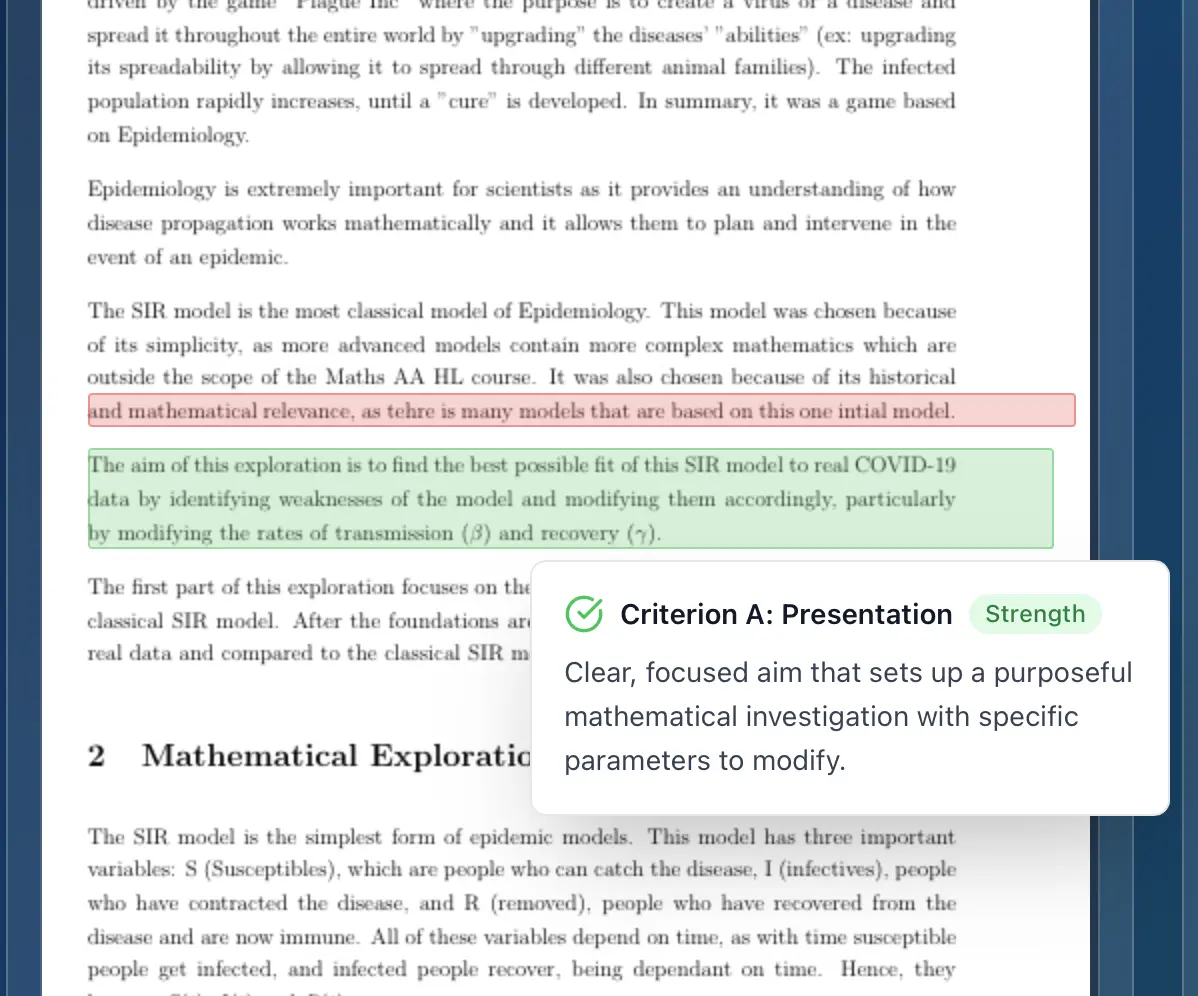
Stuck on your IB draft?
Get instant, detailed feedback on structure, evidence, and reasoning, then compare it with your current school materials.
Understanding the Grading Criteria
The Design Tech IA is assessed using four criteria (A-D), each worth 9 marks: analysis of a design opportunity, conceptual design, development of a detailed design, and testing and evaluation. HL students are also assessed on additional criteria. Understanding how the internal assessment marking works is essential for success.
Detailed Breakdown of Design Tech Internal Assessment Criteria
Criterion names, marks, and mark bands below follow the IB subject guide. The band descriptions are our own plain-English summaries, so check your subject guide for the exact wording.
Criterion A: Analysis of a design opportunity (9 marks)
What it assesses: How well you identify a problem, write a design brief, and develop a specification from your research.
Mark bands:
- 0 marks: Nothing in the work reaches the lowest band.
- 1-3 marks: Identifies a problem, writes a simple brief with few relevant parameters, and states requirements without drawing on research.
- 4-6 marks: Identifies a suitable problem that leads to a design opportunity, writes a brief with some relevant parameters, and outlines requirements with little link to research.
- 7-9 marks: Describes a suitable problem and design opportunity, writes a detailed brief with the relevant parameters, and justifies each requirement from research.
What to check in your draft:
- The problem leads to a genuine design opportunity.
- The brief identifies the relevant parameters of the problem.
- Each specification requirement is justified by research.
Criterion B: Conceptual design (9 marks)
What it assesses: How well you develop ideas, use concept modelling, and justify the idea you take forward.
Mark bands:
- 0 marks: Nothing in the work reaches the lowest band.
- 1-3 marks: Develops few ideas in limited depth, presents concept models, and picks an idea without justification.
- 4-6 marks: Develops ideas with reference to the specification, uses concept models with limited analysis, and justifies the chosen idea only briefly.
- 7-9 marks: Develops feasible ideas that meet the specification, analyses concept models to guide development, and justifies the chosen idea.
What to check in your draft:
- Several feasible ideas are developed against the specification.
- Concept models are analysed to guide development.
- The chosen idea is justified.
Criterion C: Development of a detailed design (9 marks)
What it assesses: How well you choose materials and techniques, and whether your design proposal and plan would let someone else make the prototype.
Mark bands:
- 0 marks: Nothing in the work reaches the lowest band.
- 1-3 marks: Lists some materials, components, and techniques; the design proposal lacks the detail a third party would need; the production plan is incomplete.
- 4-6 marks: Describes suitable materials, components, and techniques; the proposal has most of what a third party would need; a production plan is given.
- 7-9 marks: Justifies materials, components, and techniques; the proposal is accurate and detailed enough for a third party to make it; the production plan is detailed.
What to check in your draft:
- Materials, components, and manufacturing techniques are justified.
- The design proposal is detailed enough for a third party to make the prototype.
- The plan for making the prototype is detailed.
Criterion D: Testing and evaluation (9 marks)
What it assesses: How well you test the prototype, evaluate it against the specification, and show how it could be improved.
Mark bands:
- 0 marks: Nothing in the work reaches the lowest band.
- 1-3 marks: States a testing strategy, evaluates the prototype against few specification points without test evidence, and lists improvements.
- 4-6 marks: Describes a testing strategy, evaluates the prototype against some specification points, and outlines improvements.
- 7-9 marks: Justifies a testing strategy, evaluates the prototype against the full specification, and shows how improvements would affect the design as a whole.
What to check in your draft:
- The testing strategy is justified.
- The prototype is evaluated against every specification point, with test evidence.
- Improvements consider their effect on the design as a whole.
Good to know:
- HL students are also assessed on additional criteria that are not listed here.
How to Excel in Your Design Tech Internal Assessment
- Start Early: Don't wait until the last minute to start working on your IA.
- Manage Your Time: Break down the IA into smaller tasks and set deadlines for each task.
- Seek Feedback: Ask your teacher for feedback on your work throughout the process.
- Stay Organized: Keep all of your research, sketches, and prototypes organized.
- Review the Criteria: Regularly review the grading criteria to ensure that you are meeting the requirements.
- Be Creative: Don't be afraid to think outside the box and come up with innovative solutions.
Check your own draft
Get estimated marks by criterion, comments on your writing, and a clear list of what to fix first.
Common Mistakes to Avoid
- Procrastinating: Starting the IA too late can lead to rushed work and lower scores.
- Ignoring the Criteria: Not understanding the grading criteria is a recipe for disaster.
- Lack of Research: Insufficient research can lead to a poorly defined problem and an ineffective solution.
- Poor Time Management: Not managing your time effectively can lead to missed deadlines and incomplete work.
- Not Seeking Feedback: Not asking for feedback can lead to missed opportunities for improvement.
The Role of AI in Modern Assessment
Modern technology is changing how we approach academic assessment. AI grading assistants can now help teachers maintain consistency and rubric alignment in their evaluations while saving valuable time. These tools use the same official IB criteria to provide detailed feedback and scoring, ensuring that assessments meet the high standards expected in IB programs.
For educators looking to simplify their grading process while maintaining the quality and consistency that IB assessments demand, AI grading assistance offers a powerful solution that complements traditional teaching methods.
Conclusion
Understanding the design tech internal assessment criteria is essential for success in your IB Design Technology course. By following the tips and advice in this guide, you can increase your chances of achieving a high score on your IA. Remember to start early, manage your time effectively, seek feedback, and stay organized. Good luck!
Looking for more support with IB draft grading? Discover how AI grading assistants can help maintain consistency and rubric alignment in your evaluations while saving valuable time. Learn more about modern grading solutions designed specifically for IB educators.